Selfomy One August 2026 Update: Faster Exam Rooms, Smarter Assignment Workflow & National Exam Module
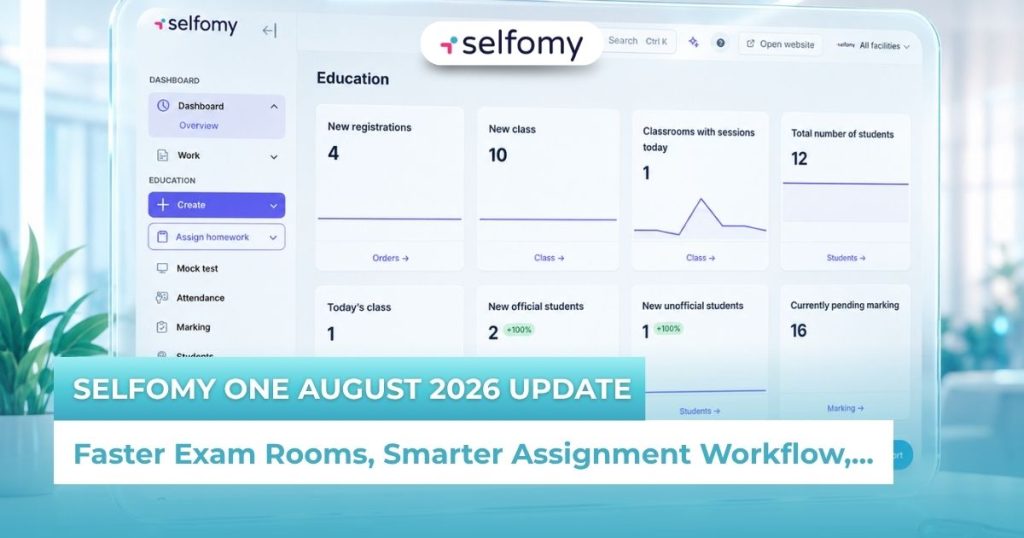
To continuously elevate the experience for teachers and students at language training centers, Selfomy is proud to release a comprehensive upgrade to its digital school ecosystem. With a bold interface redesign and a series of core technology improvements, the new version of Selfomy One delivers superior processing speed, consolidates complex task flows into just a few clicks, and expands support to include a full national high school exam preparation module. Here’s a detailed look at the highlights of this major update.
Why did Selfomy decide to do a comprehensive upgrade?
After working closely with over 100 language training centers across Vietnam, we came to a clear realization: the biggest pain point for center owners and teachers isn’t a lack of features – it’s the complexity of getting things done. A system with too many buttons and too many intermediate steps increases cognitive load and wastes precious time.
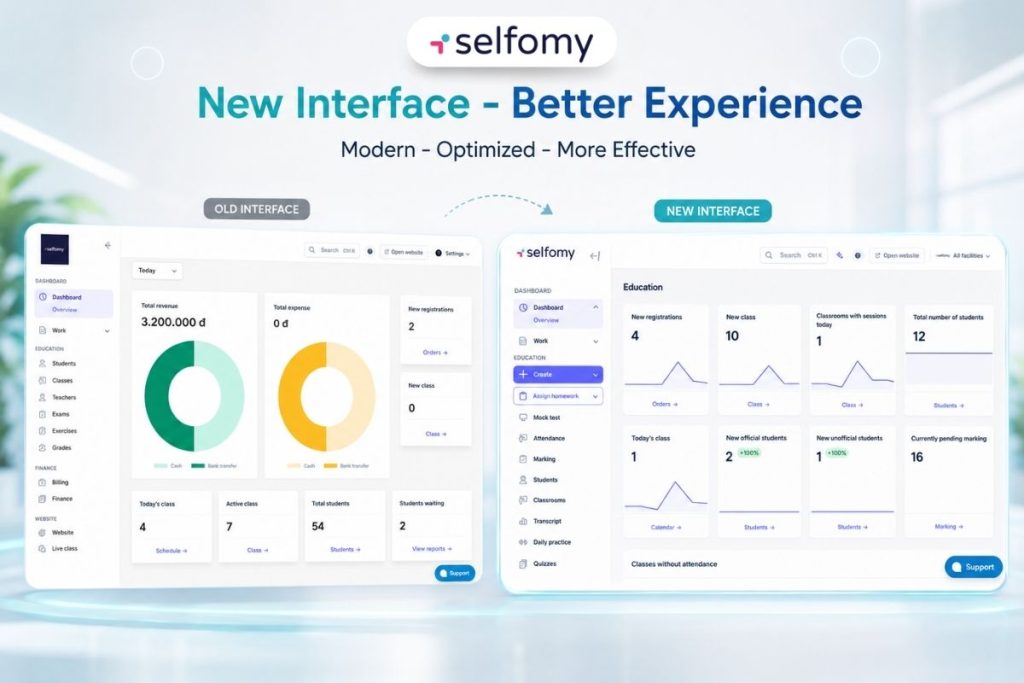
The new version of Selfomy One was built around the philosophy of “Less is More.” We didn’t just change colors or fonts – we restructured the entire workflow architecture to ensure that anyone, regardless of technical background, can master the system within five minutes of first use.
Enhanced Stability: Lag-free exam experiences every time
One of the most critical improvements in the new Selfomy One is the complete overhaul of the virtual exam room infrastructure. In high-stakes exams like IELTS or TOEIC, even a minor connectivity issue or a half-second lag when switching between questions can break a student’s concentration and negatively affect their results.
Lightning-fast question and section navigation
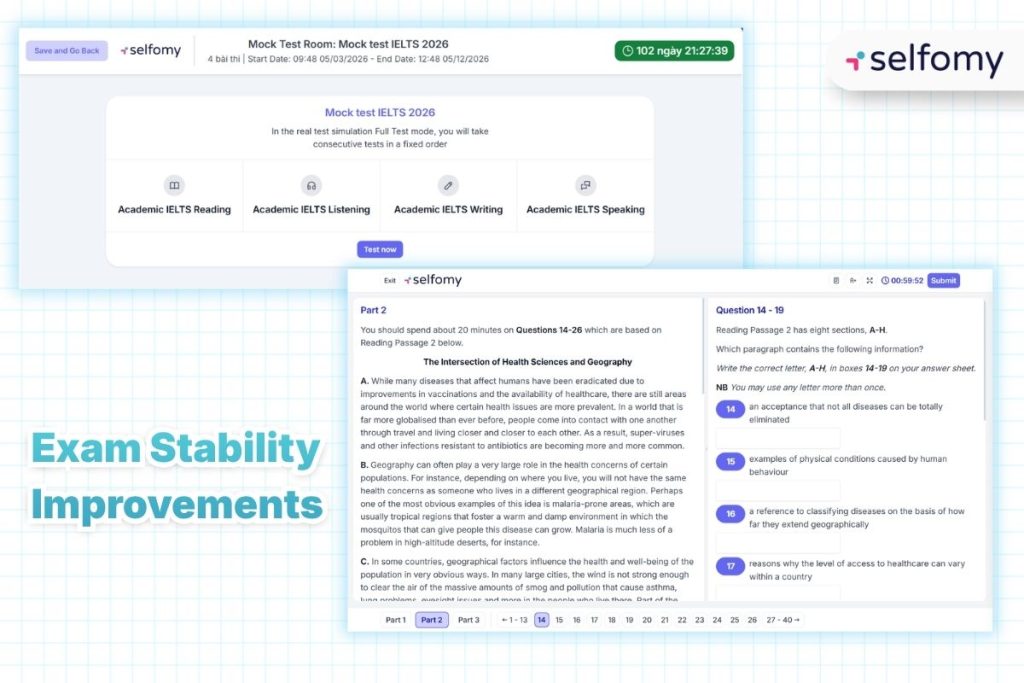
In standardized tests like IELTS and TOEIC, every second counts. Even a brief interruption caused by slow system loading can break a student’s train of thought – particularly during the Listening section, which demands sustained focus throughout.
In this upgraded LMS, the Selfomy team has comprehensively improved the stability of the exam interface. Drag-and-drop questions now work smoothly, the bug that caused answer loss when returning to a previously answered question has been fully resolved, and audio playback in the Listening section no longer freezes mid-track – guaranteeing an uninterrupted test experience from start to finish.
Dramatically improved concurrent load capacity
One of the greatest concerns for center owners when organizing large-scale online mock tests – with hundreds or even thousands of simultaneous test-takers – is the risk of server overload or system crashes.
With the new Selfomy One, concurrent load capacity has been significantly strengthened, ensuring large-scale mock tests run smoothly without disruption. All exam data is continuously synchronized, giving students complete peace of mind even in the event of a personal device issue. The SAT exam interface has also been completely redesigned to accurately replicate the digital testing experience used in actual SAT administrations.
Streamlined Workflow: Every key action, one click away
The most transformative change in the new Selfomy One interface is the consolidation of all important actions into two “superpower” buttons: Create and Assign.
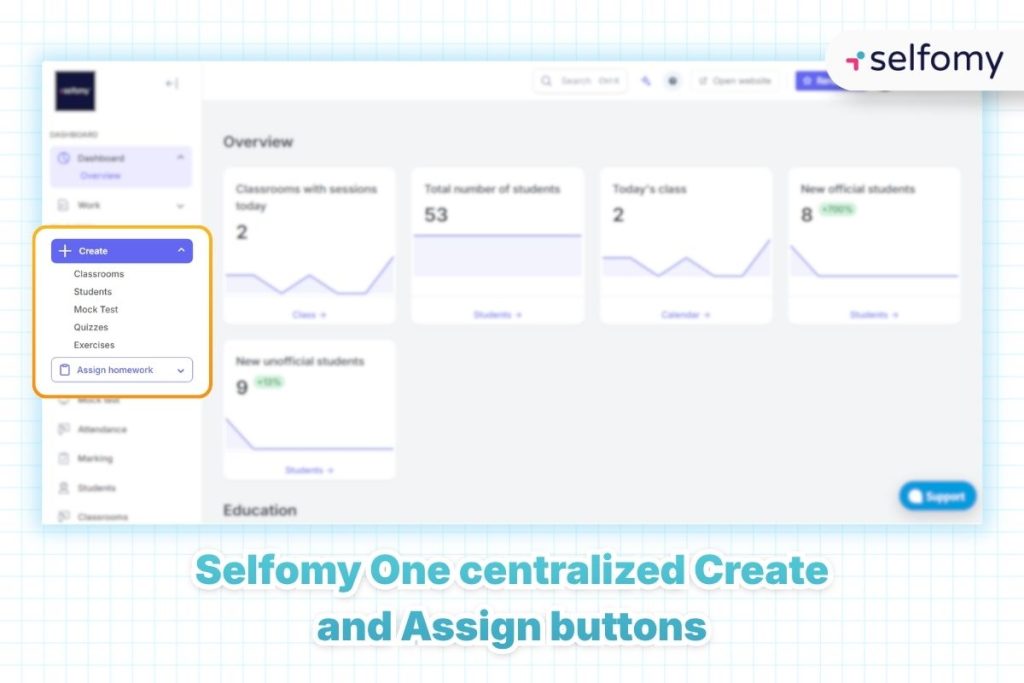
The “Create” Button: Every action starts here
In modern UX design, the “3-click rule” – the principle that users should be able to find what they need within three clicks – is a gold standard. In older systems or generic LMS platforms, creating a new item typically requires navigating through layers of nested menus. The new Selfomy One breaks through this barrier by bringing everything to a single control center: the “Create” button.
Now, regardless of which page you’re on – the Dashboard, the class list, or the question bank – the “Create” button is always visible and accessible. A single click opens a quick-access menu allowing teachers to:
- Create a Class: Set up a new learning space in seconds.
- Add Students: Enroll individuals or entire lists with minimal effort.
- Set Up a Virtual Exam Room: Configure timing, access passwords, and proctoring settings.
- Create Exams & Exercises: Jump directly into the full content creation toolkit.
This design not only saves time but also empowers teachers who are less comfortable with technology to feel confident using the system from day one.
Notably, the class creation flow has been simplified: you can now create a course and curriculum directly within the class creation modal, without needing to pre-create a “course category” as required in previous versions.
The “Assign” Button: Distribute content to multiple classes in one operation
If the “Create” button is the starting point, the “Assign” button is the critical bridge that delivers knowledge to students. In real center operations, assigning homework often leads to mix-ups between classes or wastes time distinguishing between content types (homework vs. mock test).
With the new Selfomy One interface, the assignment workflow has been optimized through a centralized Assign button. Teachers can select a content type (exam, exercise set, or learning material), then tick-select multiple classes simultaneously and dispatch everything with a single button press. The system supports both shared deadlines and individual deadlines per class, and displays a detailed results summary after assignment – ensuring complete accuracy and independence between classes.
This seamlessness minimizes common operational errors such as sending the wrong exam to a class or forgetting to set a submission deadline – while ensuring students always receive timely learning notifications via email. This is precisely how Selfomy helps centers build a disciplined, professional learning environment.
New: Visual class analytics charts
The class detail page now integrates additional visual analytics charts: correct answer rates, learning trend lines, time-on-task data, and topic-level weak spots for each student. This data empowers teachers to monitor progress and submission status closely, enabling timely and targeted instructional adjustments.
Comprehensive national high school exam module
Recognizing the growing need for centers to diversify their revenue streams, the new Selfomy One officially launches a National High School Exam (THPT) Preparation Module – a complete operational workflow covering everything from exam design to result delivery.
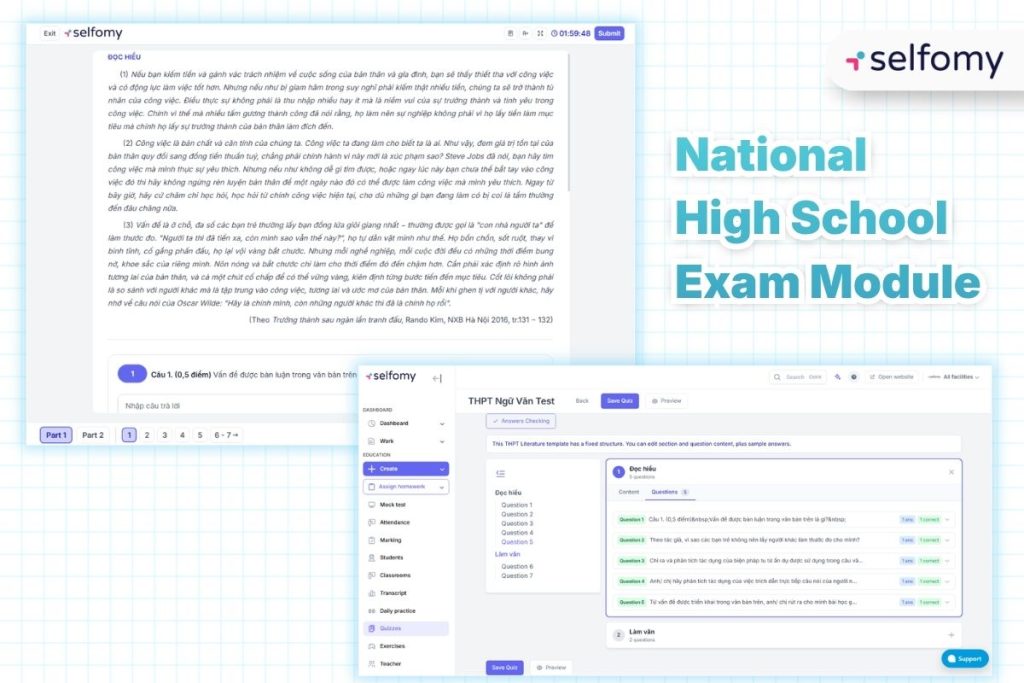
Exam design and delivery built to official standards
Teachers can now design national exam mock tests with the full official question structure: multiple choice, true/false questions, and open-ended essay responses. The MockTest THPT feature allows the creation of full subject combination exams (mandatory Math and Literature, plus elective subjects), following the exact structure of the real national examination. Scores are held confidential until all subjects in a combination have been graded and finalized.
Advanced grading tools (with special support for essay-based subjects)
While multiple choice is graded automatically, essay-based subjects – particularly Literature – are equipped with a professional manual grading tool. Teachers can save draft grades, add per-question commentary, and only publish final scores once the full review process is complete. This gives centers the confidence to offer university-track preparation programs with tightly controlled quality standards, all within the updated LMS.
Why you should upgrade to the new Selfomy One today
Delaying technology upgrades almost always leads to a gradual decline in service quality. Here are the key reasons center owners should embrace the new Selfomy One:
- Optimized Operations: Open classes and assign content faster, with fewer unnecessary steps.
- Diversified Revenue: Expand into the national exam preparation segment with a purpose-built grading and exam management system.
- Superior Student Experience: A smooth, stable exam interface paired with a visual progress reporting dashboard that keeps students and parents informed.
Drawing on experience working with hundreds of educational institutions, Selfomy firmly believes that software stability and ease of use are the most important foundations for a center to scale sustainably and confidently.
Transition Support: How Selfomy will help you get started
We understand that adapting to a new interface can feel unfamiliar at first. That’s why the Selfomy team has prepared a full suite of resources to support you through the transition:
- 1-on-1 Onboarding: Our Customer Success team will personally guide center administrators and teachers through the new interface to ensure the smoothest possible changeover.
- 24/7 Technical Support: Any questions about the new Selfomy One are prioritized and addressed immediately.
- Full Data Preservation: All existing data is automatically migrated and synchronized to version 10.30 – nothing is lost.
- Step-by-Step Documentation: Includes video tutorials and written guides covering all workflow changes in the new interface.
We commit to preserving every piece of your existing data intact and automatically synchronizing it to the new interface seamlessly.
Conclusion
The new Selfomy One is more than a software update – it is the direct result of listening carefully to the real challenges faced by educators every day. With improvements in platform stability, intelligently centralized action buttons, and the introduction of the National High School Exam Preparation Module, Selfomy continues to reinforce its position as the most trusted technology partner for language training centers across Vietnam.
Don’t let outdated, manual workflows hold your center back. Experience the new Selfomy One interface today and feel the difference – then get ready for your next phase of breakthrough growth.

