Release v10.0-beta
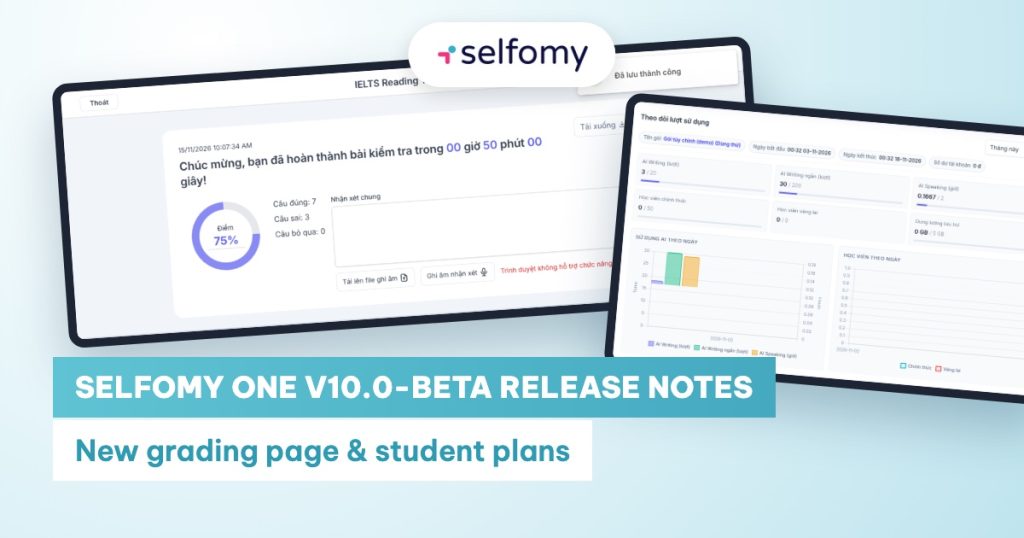
All changes made during the beta phase before the official launch of Selfomy One version 10, for teachers and center administrators.
See all versions in Selfomy One Release Notes.
Releases
- v10.38.0-beta (15 Sep 2026)
- v10.37.0-beta (11 Sep 2026)
- v10.36.1-beta (4 Sep 2026)
- v10.36.0-beta (3 Sep 2026)
Version v10.38.0-beta (15 Sep 2026)
Student Plans (new)
- Sell self-study plans to students. Centers can create paid plans under Center Settings → Student Plans.
- Plan contents: AI grading quotas (AI Writing grading credits, AI Speaking grading hours, AI short sentence/paragraph grading credits), access to Test collections and Courses, plus extra text-based benefits (e.g. “Priority support”).
- Multiple prices by duration: e.g. 1 month, 6 months; students choose the duration at purchase.
- Plan landing page on the website: turn on Show on website to publish plans on a public page, with a plan comparison table and an FAQ section written by the center.
- Students buy and track plans. Students pay by bank transfer. The My Plans section shows active plans, remaining quotas and unlocked content. When AI grading quota runs out, or when opening a test collection that requires a plan, students are prompted to View plans.
- Order management and gifting plans.
- The Orders page has a new Membership Plans tab. Manual bank-transfer orders are approved with the Confirm payment button.
- Administrators can Gift a plan directly to a student and track each student’s used quota.
- Attach test collections to plans. In test collection settings, the Included in plan option restricts the tests in the collection to students who own the selected plan.
- New order email notifications. Under Center Settings → Sales, enter the emails that should be notified whenever a new student plan or course order comes in.
Curriculum
- Limit the number of retakes. When adding an assignment or test to a curriculum, teachers can set Maximum retakes (leave blank for unlimited). If the item is AI-graded, this value also limits the number of AI gradings. Students see their remaining retakes right on the item.
Website and Communications
- Management pages are cleaner and consistent. The website Settings, Posts, Categories, Popups, Testimonials, Achievements, Team pages, along with Notifications, Call Center and Forms, now share the same layout, each with a short description line and an easy-to-search table list.
- Notifications and Call Center have From date / To date filters for their statistics.
Version v10.37.0-beta (11 Sep 2026)
Classes
- Filter classes by teacher. The class list has a new Teacher filter to quickly see the classes a given teacher is in charge of.
Test Bank
- IELTS Listening no longer offers “Matching headings”. Heading matching is a Reading-only question type, so this option has been removed from the Listening test editor and from the Listening question type list in AI test import, to prevent mistakes.
Test-Taking (students)
- SAT always shows directions. If a question has no directions of its own, the test page shows the standard directions for the section (Math or Reading and Writing) instead of leaving it blank.
- Bug fixes when retaking a test:
- Listening audio plays from the beginning instead of resuming from where the previous attempt left off.
- Time spent on the retake is calculated correctly.
Version v10.36.1-beta (4 Sep 2026)
Test-Taking (students)
- Bug fix: results when practicing only some sections of a test. When a student chose to take only some sections (not the full test) and submitted right after starting, the attempt could be graded and displayed as a full test. Results now count only the selected sections, for IELTS, SAT and TOEIC.
Version v10.36.0-beta (3 Sep 2026)
Grading
- Refreshed Grading page. Submissions to grade are organized into tabs: Recent Mock Tests, Recent Single Tests, Assignments and Mock Test Statistics.
- At-a-glance tracking: summary cards at the top show the total number of submissions, completed, awaiting grading and not completed (with percentages).
- Quick filters: filter by IELTS, SAT or TOEIC.
Test Bank
- Filter tests by Program and Test type. In the test list, you can filter by Program (e.g. IELTS, TOEIC, SAT) and by Test type. Once a program is selected, the test type list only shows types belonging to that program.
IELTS Test-Taking (students)
- Notepad per test section.
- Separate notes for each section: notes are tied to the section where the student wrote them. For example, Listening notes no longer appear while the student is in the Reading section.
- The “Clear notes for this section” button only clears notes for the section currently open. Previously, this button cleared notes for all sections.
- Bug fix: deleted notes no longer reappear after the test is auto-saved.
Classes
- The Students tab in a class is cleaner and easier to follow. The table shows student ID, full name, enrollment date, end date, group and status. View, edit and delete actions are right on each row, and the page loads faster for large classes.

